The ChopWin app gives Gambian players direct access to slots and crash games from their phone, without needing to open a browser every time. It’s designed to load quickly, work on standard mobile data, and keep everything — your balance, deposits, withdrawals, and game library — easy to reach in one place.
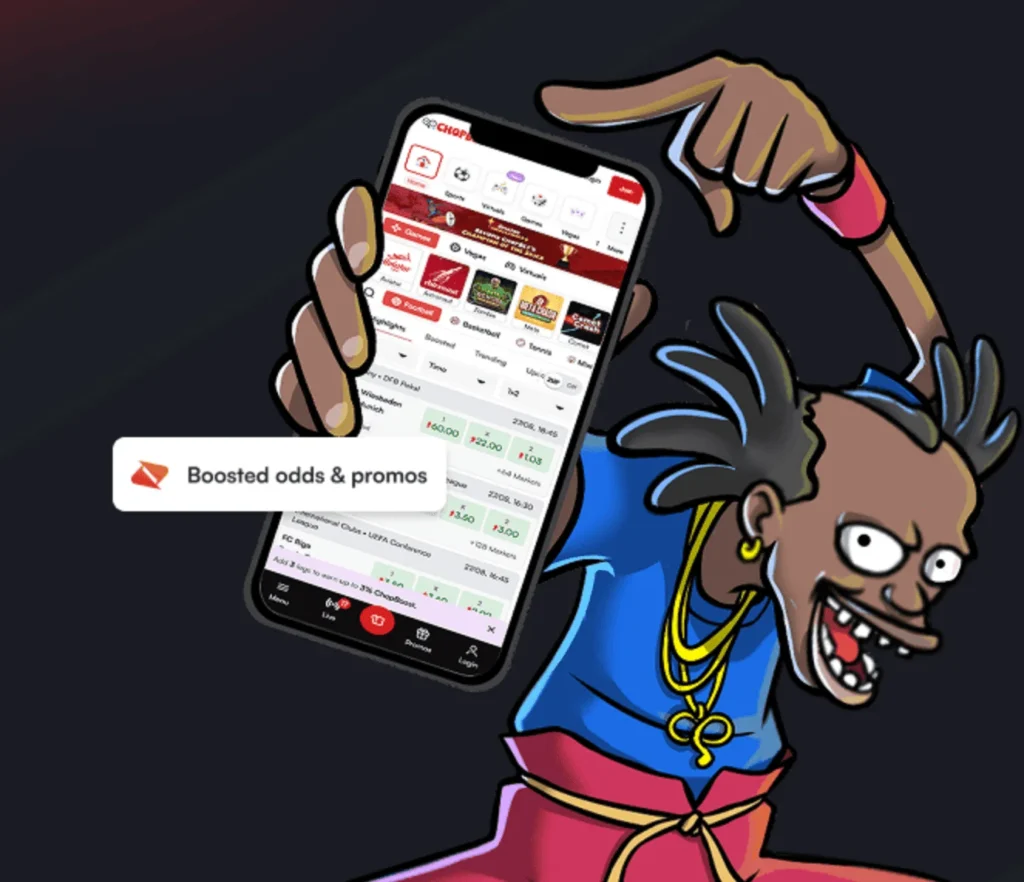
Both Android and iPhone users can get the app, though the installation process differs slightly between the two. Android players download an APK file directly from the ChopWin website, while iPhone users add the platform to their home screen through Safari. Either way, the setup is straightforward and takes just a few minutes.
How to Download & Install ChopWin APK for Android
Android users can get the ChopWin app by downloading the APK file directly from the official website. Since it’s not on the Google Play Store, a quick settings adjustment is needed before installing.
How to Download APK
- Open your phone’s browser and go to the official ChopWin Gambia website.
- Find the ChopWin APK download option on the site.
- Tap the download link and wait for the APK file to finish downloading to your device.
How to Install APK
- Go to your phone’s Settings and enable “Install from unknown sources.”
- Open the downloaded APK file from your downloads folder.
- Follow the on-screen prompts to complete the installation, then open the app and log in or register.
How to Download & Install ChopWin APP for iOS

iPhone users don’t need to download a file — instead, the ChopWin platform can be added directly to the home screen through Safari in just a few taps.
How to Download App
- Open Safari on your iPhone and go to the official ChopWin Gambia website.
- Tap the Share icon at the bottom of the screen.
- Select “Add to Home Screen” from the options that appear.
How to Install App
- Confirm the name of the shortcut when prompted.
- Tap “Add” in the top right corner.
- The ChopWin icon will appear on your home screen — tap it to launch and log in or register.
The Benefits of ChopWin Mobile App Gambia
- Instant access: Launch the platform directly from your home screen without opening a browser or typing in a web address each time.
- Mobile-optimised gameplay: The app is built for smaller screens, with buttons and navigation sized for comfortable use on any Android or iPhone device.
- Data-friendly performance: The platform is designed to run efficiently on standard mobile data, making it practical for everyday use in Gambia.
- Full functionality on mobile: Deposits, withdrawals, bonuses, and the complete game library are all accessible through the app, with no features locked to desktop only.
- Stable experience: The app provides a more consistent and reliable session compared to using a standard mobile browser, with fewer interruptions during play.
The Mobile Browser Version of ChopWin GM
Players who prefer not to download anything can access ChopWin GM directly through their phone’s browser. The mobile browser version is fully functional — games load, payments work, and account management is available — making it a practical alternative if storage space is limited or you’d rather skip the installation process.
The ChopWin App Doesn’t Work! What to Do?
- App won’t open: Restart your phone and try again. If the issue continues, uninstall the APK and re-download it from the official ChopWin Gambia website.
- Games not loading: Check your internet connection and switch between Wi-Fi and mobile data to see if that resolves it.
- Login not working: Double-check your phone number and password. Use the “Forgot Password” option if needed.
- APK installation blocked: Go to Settings and confirm that “Install from unknown sources” is enabled on your Android device.
- App running slowly: Clear your phone’s cache, close background apps, and make sure your device has enough available storage to run smoothly.
FAQ ChopWin APP Download Gambia
Is the ChopWin app legit or not?
Yes, ChopWin operates under a Gambia license and the app is the official mobile version of the platform.
How to download the ChopWin app?
Android users download the APK from the official ChopWin Gambia website, while iPhone users add it to their home screen through Safari.
Why download the ChopWin mobile app?
The app gives you faster access to games, deposits, and withdrawals directly from your home screen without needing a browser.
Can I register on the ChopWin app if I’m from Gambia?
Yes, ChopWin is built specifically for Gambian players and registration is open to anyone based in Gambia who is 18 or older.